Table Of Content
h1, h2
Seven agency-tested AI workflows you can run from Claude, ChatGPT or Gemini through an influencer marketing MCP, with the exact prompts we use.


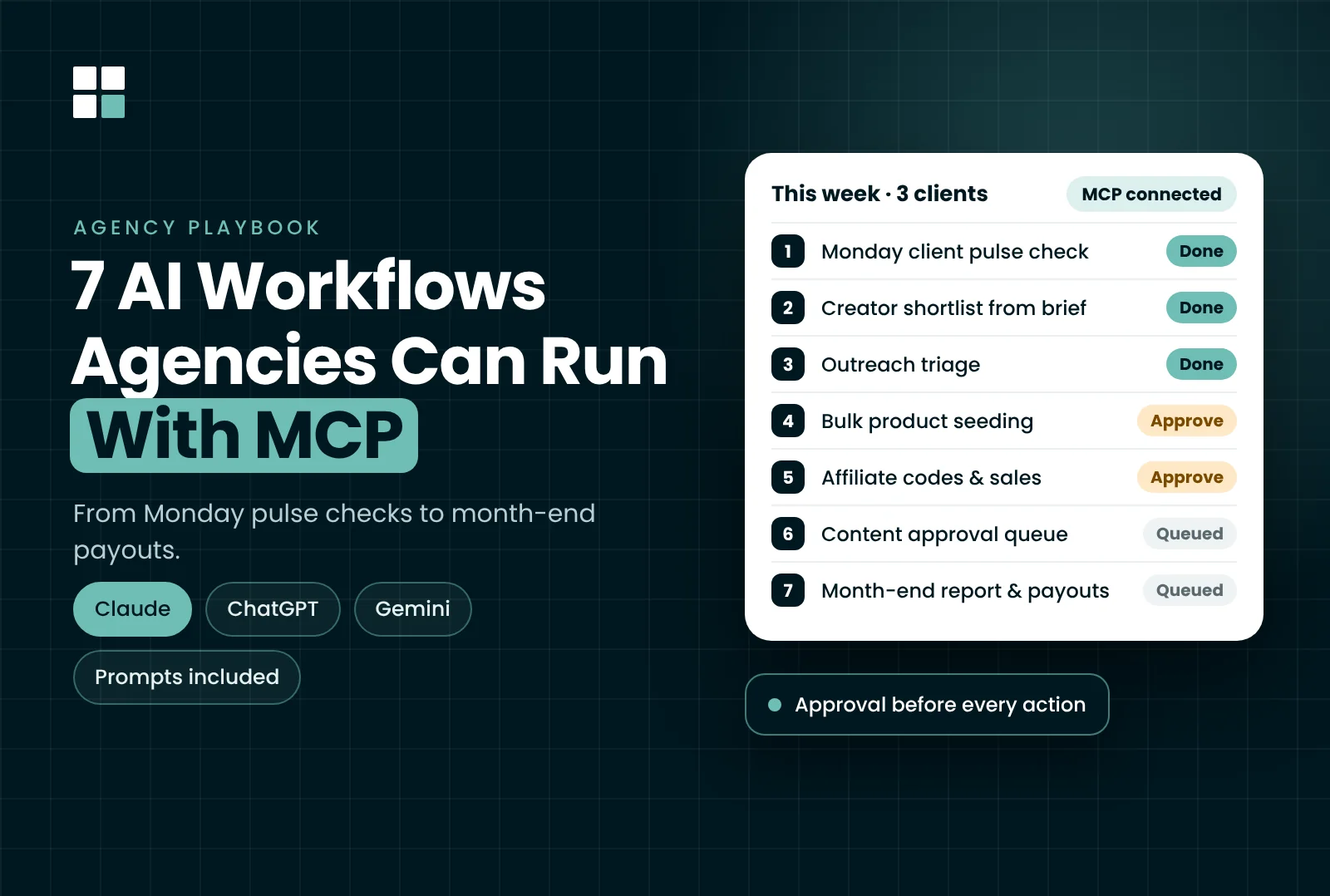
Table Of Content
Running influencer campaigns for one brand is a job. Running them for ten brands at once is mostly admin: checking boards, chasing replies, sending products, building reports and figuring out who still needs to get paid.
That admin is where MCP earns its place. Once your influencer platform is connected to an AI assistant, you can ask "which creators haven't replied this week?" in plain English and get a real answer from live data. No exports and no copy-pasting.
We've been running parts of our client work this way. Below are the seven workflows that have stuck, with the prompts we use and the points where a human still needs to approve things.
Key Takeaways
MCP is an open standard that lets AI assistants connect to other software. In influencer marketing, an MCP server is usually built by the platform you already use, and it gives your assistant access to your creators, campaigns, emails, orders and payouts.
There are two types, and the difference matters a lot for agencies:
The practical shift for us was where the work starts. Instead of opening a client's dashboard and clicking through five tabs, the day starts with a question in the chat. The dashboard is now for setup and fine-tuning.
<table style="width:100%; max-width:720px; border-collapse:collapse; font-family:Arial,Helvetica,sans-serif; font-size:15px; line-height:1.45; color:#000000; margin:24px 0;">
</table>
The prompts below are written for Influencer Hero's MCP, which is what we run. The logic carries over to any MCP that supports the same actions. Swap in your own client, board and stage names.
The agency problem: Every Monday, someone has to open each client's campaign board and work out what moved, what's stuck and what the client needs to hear about. With a full client roster, that easily takes up the whole morning.
Prompt:
"For each of my active brands, give me last week's stage counts per campaign board, how many creators moved forward, and anything that looks stuck. Keep it to three bullets per brand."
What happens: The assistant reads the boards and returns a summary you can paste straight into your internal stand-up notes or a client Slack update. Reading data needs no approval, so this one is instant.
Watch out for: The MCP only sees the brands and boards your login has access to. If a client is missing from the summary, check your user role before blaming the AI.
The agency problem: A client sends a brief ("micro creators in Germany, fitness, mostly female audience") and you need a first shortlist before the kickoff call.
Prompt:
"Find 30 TikTok and Instagram creators in Germany posting about home workouts, 10K–80K followers, with most of their audience in Germany. Then find five lookalikes of the top three. Show me the list before pulling any audience reports."
What happens: The assistant searches by niche, follower count, creator location and audience location, then finds lookalike creators. It can also pull audience reports and contact emails for the ones you pick.
Watch out for: Searches, reports and contact lookups use the same credits as the web app. The assistant warns you before spending them, but on a busy week across several clients that adds up. We always ask for the list first and approve reports only for the creators we'd actually pitch.
The agency problem: Outreach for several clients produces a steady stream of creators who never reply. They clog the board and make your reply rates look worse than they are.
Prompt:
"On the [Client] Spring Launch board, list every creator in 'Contacted' who hasn't replied in 10 days. Move them to 'On Hold' and add the next batch of 20 shortlisted creators to the campaign's outreach flow."
What happens: The assistant shows you the list of creators before anything moves. Once you approve, it moves them in bulk and adds the new creators to the campaign flow. You can also check scheduled emails or send a one-off email from the same chat.
Extra: You can describe automations in plain language too, such as "when a creator applies, move them to 'Review'". New automations are saved as inactive until you approve them, so nothing goes live by accident.
The agency problem: Twenty creators said yes and they all need the starter kit. Doing that manually means creating 20 orders, one at a time.
Prompt:
"Send the [Product Name] starter kit to everyone in the 'Agreed' stage on the [Client] board. Show me the list and the products before you create the orders."
What happens: The assistant searches the client's connected store catalogue and sends the product to one creator or a whole stage. This creates real store orders, which is why it always asks for approval first.
Watch out for: This is the workflow where we double-check most. Confirm the product variant, the stage and the creator count before you approve. A wrong click here costs your client real inventory.
The agency problem: Gifting is half the job. The other half is giving each creator a code or link, setting their commission and then proving to the client which creators drove sales.
Prompt:
"Create a 15% discount code and an affiliate link for @creatorhandle, set her commission to 10%, then show me which creators drove the most sales on the [Client] board last month and on which products."
What happens: The assistant creates discount codes, affiliate links and per-creator commission rates. It also tracks clicks, orders, sales, top products and earnings, so the same chat handles setup and reporting.
Why agencies care: "Which creators actually sold?" is the question every client asks in the quarterly review. Having the answer per creator and per product, in one prompt, makes renewal conversations a lot easier.
The agency problem: Content submissions pile up across clients, and creators waiting on approval means posts go live late.
Prompt:
"List all submissions awaiting approval across my brands, grouped by client, with the posting deadline for each. Then pull the best-performing Reels from the [Client] Content Wall from last quarter."
What happens: The assistant lists pending submissions, lets you review and approve them, and searches the Content Wall. It can also request deliverables from creators, and create and publish application pages for new campaigns.
Watch out for: We still review every piece of content ourselves before approving it. The AI gets the queue in front of you faster. Checking brand fit and usage rights is still your team's call.
The agency problem: Month-end means two things clients care about: a clear performance report and making sure every creator gets paid on time.
Prompt:
"Compare the [Client] TikTok and Instagram boards for October side by side and give me three takeaways for the client. Then summarize what creators are owed and who still hasn't sent an invoice."
What happens: The assistant generates account-wide or campaign reports for any date range, including side-by-side board comparisons. On the payouts side, it lists payouts by status, shows totals, creates payout requests and requests missing invoices.
Watch out for: The AI drafts the takeaways, but we rewrite them in our own words before they go to the client. A report should sound like your agency, not like a chatbot.
All seven workflows above run on Influencer Hero's MCP. We picked it because it covers the full creator workflow. Other platforms mostly cover discovery and reporting.
Here's what matters for agency use:
A few limits are worth knowing upfront:
For us, the split works like this: the web app for setting up a new client, the MCP for running them day to day, and the API only if you're building custom internal tools.
Several influencer platforms launched MCPs in 2026, and they're not built for the same job. Before you connect one to client accounts, check these five things:
Here's how the main options compare, based on each vendor's own documentation and public reviews as of November 2026:
<table style="width:100%; max-width:720px; border-collapse:collapse; font-family:Arial,Helvetica,sans-serif; font-size:15px; line-height:1.45; color:#000000; margin:24px 0;">
</table>
Our take: If your agency mainly needs creator research inside ChatGPT or Claude, a data-focused MCP like Influencers.club or HypeAuditor will do the job. If you run campaigns end to end for clients (outreach, seeding, affiliate, payouts), you need an MCP that can act, and right now that's where Influencer Hero is furthest ahead.
Here’s a full breakdown of other influencer marketing MCP tools and how they work.
MCP won't run your agency for you. It does remove much of the repetitive work between "we have a plan" and "the campaign is live and reported". The seven workflows above are where we've seen the clearest time savings: Monday check-ins, shortlists, outreach triage, seeding, affiliate setup, content approvals and month-end reporting.
Start with the read-only workflows (the pulse check and reporting) to build trust in the output. Then move on to workflows that take actions, one client at a time.
And if you'd rather have a team run all of this for you, that's exactly what we do at NC Media.
FAQ